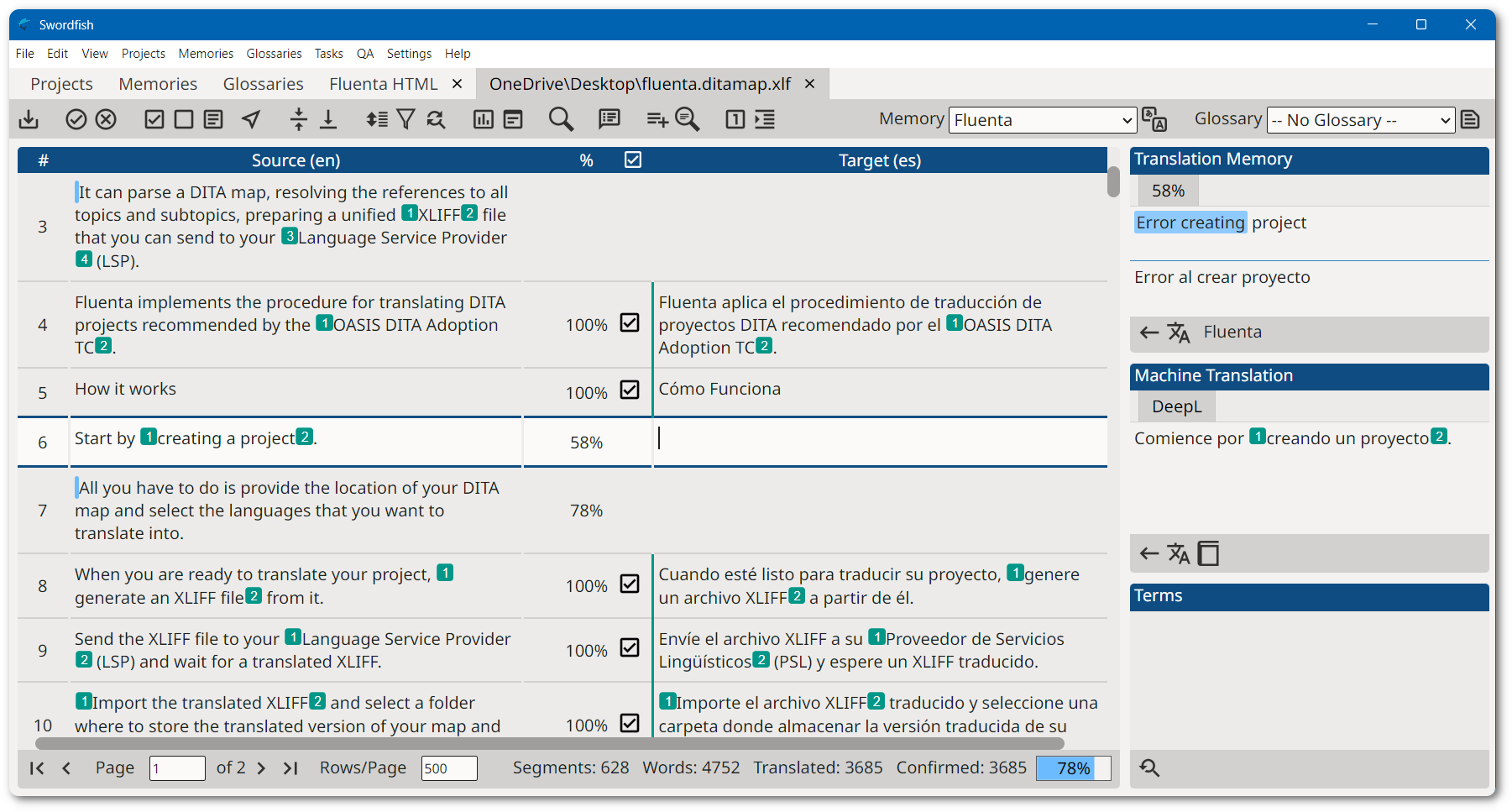
Swordfish is a CAT (Computer-Aided Translation) tool built around XLIFF, allowing you to
translate
and manage multilingual content across multiple file formats using a unified workflow.
Typical workflow
Open or import files (or translation packages) into Swordfish
Translate content using the built-in editor and translation tools
Leverage Translation Memory and Machine Translation suggestions
Export translated files or generate return packages
Swordfish uses XLIFF as its core format, allowing content from different file types to be translated
in a consistent and interoperable way.
Swordfish supports TMX (Translation Memory eXchange), the standard format for exchanging
translation memory data between CAT tools.
Swordfish provides a consistent XLIFF-based workflow that integrates with other CAT tools and
localization systems.
Source Code Access
Swordfish source code is available on GitHub and can be downloaded, compiled, modified, and used free of charge.
We offer subscriptions that include installers, technical support, bug fixes, and feature requests.
Subscription fees support ongoing development and help maintain the quality and reliability of
Swordfish.
The version of Swordfish included in the official installers can be used with a free 30-day trial by
requesting an evaluation key. After the trial period expires, a subscription is required.
Subscription keys are available from our Online Store and
cannot be shared or transferred between machines.
Markdown (CommonMark, GitHub Flavored Markdown, Pandoc and other dialects)
Microsoft Office (2007 and newer)
Microsoft Visio XML Drawings (2007 and newer)
MIF (Maker Interchange Format)
OpenOffice, LibreOffice, StarOffice
Plain Text
QTI (IMS Question and Test Interoperability)
QTI Packages
SDLXLIFF (Trados Studio)
SRT Subtitles
Trados Studio Packages
GlobalLink / WordfastPRO TXML (*.txml)
GlobalLink / WordfastPRO XLIFF (*.txlf)
VTT Subtitles (WebVTT)
WPML XLIFF (WordPress Multilingual Plugin)
XLIFF from other tools (e.g., memoQ *.mqxliff, generic *.xliff)
XML Formats
XML (Generic)
DITA 1.0, 1.1, 1.2 and 1.3
DocBook 3.x, 4.x and 5.x
SVG
Word 2003 ML
XHTML
Software Development
JavaScript
Java Properties
JSON
PHP Arrays
PO (Portable Objects)
RC (Windows C/C++ Resources)
ResX (Windows .NET Resources)
TS (Qt Linguist translation source)
Compatible with other CAT tools
Swordfish supports the most common formats used for exchanging translations:
XLIFF directly accepts versions 1.0, 1.1, 1.2, 2.0, 2.1 and the latest 2.2
SDLXLIFF SDL Trados Studio XLIFF files
Accepts Trados Studio packages (*.sdlppx) and creates return
packages
(*.sdlrpx)
TXLF / mqXLIFF Native support for XLIFF files from WordfastPRO
and MemoQ
TXML Full support for Wordfast PRO and GlobalLink files.
Complete Segment Filtering
Swordfish lets translators hide/show segments filtering on multiple status
options, like:
is
translatable, has translation, has comments, is approved, etc.
Comfortable Proofreading
Swordfish generates HTML views from XLIFF files that lets
translators/reviewers proof
read
comfortably in the system's default web browser.
Advanced Translation Engines
Swordfish includes two translation engines:
A "traditional" TM (Translation Memory) system that provides
exceptional matching
"Auto-Translation", an exclusive technology that assembles matches from
regular TM
databases and Terminology databases
Additionally, Swordfish supports these external Machine Translation (MT)
Engines:
Azure Translator Text
DeepL API (Free and PRO plans)
Google Cloud Translation
ModernMT
These AI systems are directly integrated as Machine Translation engines:
Alibaba's Qwen
Anthropic's Claude
ChatGPT
Google Gemini
Mistral
Ollama
Note: Using Ollama in a local network ensures privacy, since your source text never leaves
your
local environment.
Prompts generated by Swordfish have been tested and are known to work on these AI systems: