Fluenta
Fluenta manages the translation workflow of DITA projects by extracting content into XLIFF, generating translation packages, and reintegrating translated content back into the original structure.
Typical workflow
- Select a DITA map
- Generate XLIFF for translation
- Translate using your preferred CAT tool
- Import translated XLIFF back into the project
Fluenta follows the workflow defined by the OASIS DITA Adoption Technical Committee for translating DITA projects using XLIFF. For a detailed description of the underlying process, see the article: Use XLIFF to Translate DITA Projects.
DITA projects rely on complex structures such as content references (conref, keyref), specialization, and translatability rules that are not handled correctly by generic XML editors or standard translation tools.
A translation tool that properly handles DITA must:
- Resolve content references such as
conrefandkeyref - Support DITA specializations that define translatable elements and attributes
- Respect the
translateattribute
A DITA project can contain hundreds of small files, which makes file handling tedious. Fluenta parses a DITA map, resolves references to all topics and subtopics, and prepares a unified package for your Language Service Provider (LSP).
If your LSP charges for file management, you can reduce costs by preparing a consolidated translation package in-house with Fluenta.
How it works
- Create a project by selecting your DITA map, assigning a name, and choosing the target languages.
- Generate an XLIFF file for translation.
- Send the XLIFF file to your Language Service Provider or translate it using a CAT tool such as Swordfish Translation Editor.
- Import the translated XLIFF and select the output folder for the translated map and topics.

Fluenta Workflow
To update translations after modifying your DITA content:
- Generate a new XLIFF file.
- Send the XLIFF file to your LSP or translate it using a CAT tool.
- Import the translated XLIFF and select the output folder for the updated map and topics.
Fluenta automatically recovers In-Context Exact (ICE) matches from previous translations, so unchanged content does not need to be translated again.
Fluenta also uses Translation Memory (TM) to recover translations for content that has changed slightly.
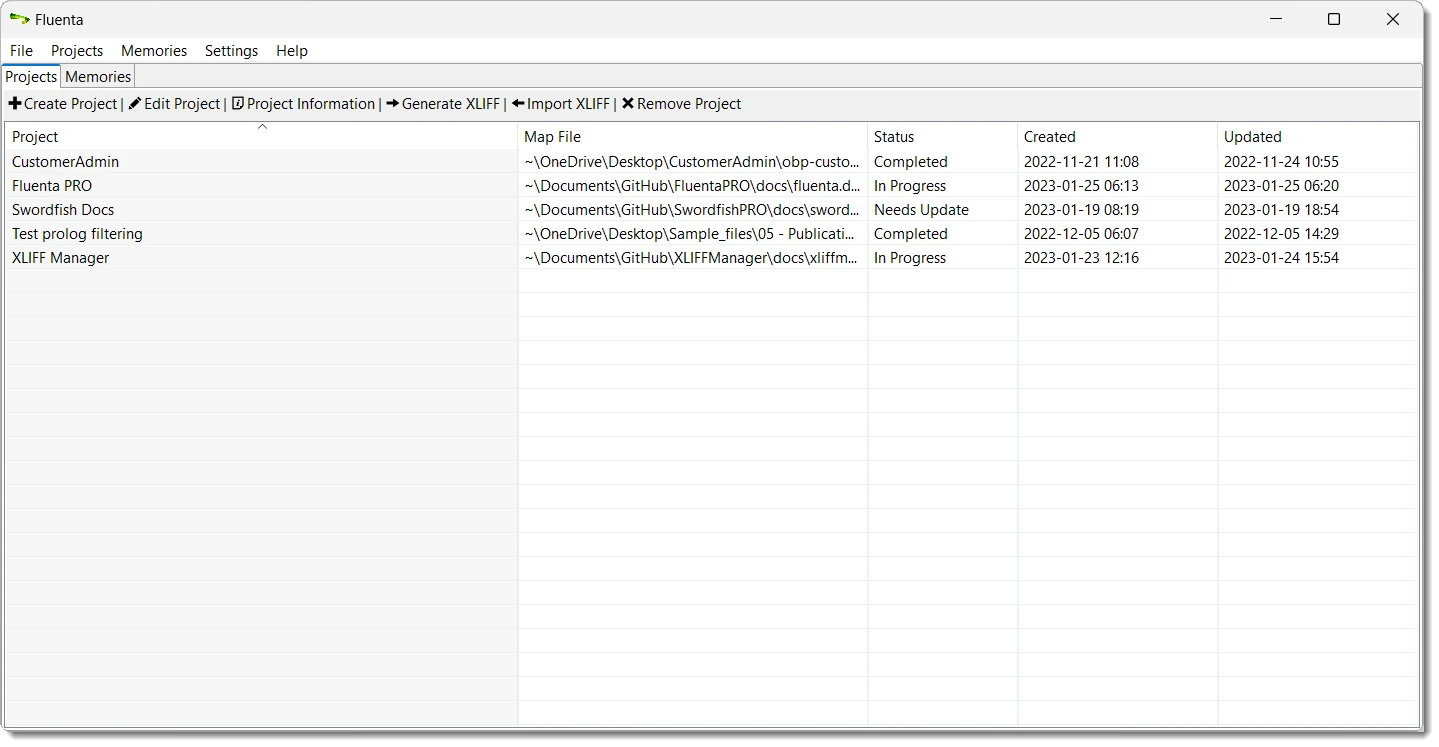
Fluenta running on Windows 11
Source Code Access

Fluenta source code is available on GitHub and can be downloaded, compiled, modified, and used free of charge.
We offer subscriptions that include installers, technical support, bug fixes, and feature requests. Subscription fees support ongoing development and help maintain the quality and reliability of Fluenta.
The version of Fluenta included in the official installers can be used with a free 30-day trial by requesting an evaluation key. After the trial period expires, a subscription is required.
Subscription keys are available from our Online Store and cannot be shared or transferred between machines.
The subscription version includes direct email support at tech@maxprograms.com
Subscription Benefits
| Source Code | Subscription Based | |
|---|---|---|
| Ready To Use Installers | No | Yes |
| Notarized macOS launcher | No | Yes |
| Signed launcher and installer for Windows | No | Yes |
| Headless mode batch scripts for running from CLI (Command Line Interface) | No | Yes |
| Technical Support |
|
|