

XLIFF Manager
XLIFF Manager is a cross-platform application for creating, validating, converting, and managing XLIFF localization workflows.
Built on OpenXLIFF, it supports industry-standard bilingual localization workflows for documentation, software, subtitles, XML, office documents, and translation packages.
The XLIFF files generated by OpenXLIFF do not use any proprietary markup and are fully compatible with most CAT tools.
Source Code Access

The source code of XLIFF Manager is available on GitHub. Anyone can download, compile, modify and use the source code free of charge under the terms of the license.
We offer subscriptions for technical support, bug fixes, and feature requests. By subscribing to our support plan, you not only get access to our expertise and help, but you also contribute to the continuous improvement of XLIFF Manager. Your subscription fees pay for code development costs and ensure the quality and reliability of our software.
Subscription keys are available from our Online Store. A subscription key can be registered by one user on one computer. Once registered, subscription keys cannot be transferred to other computers.
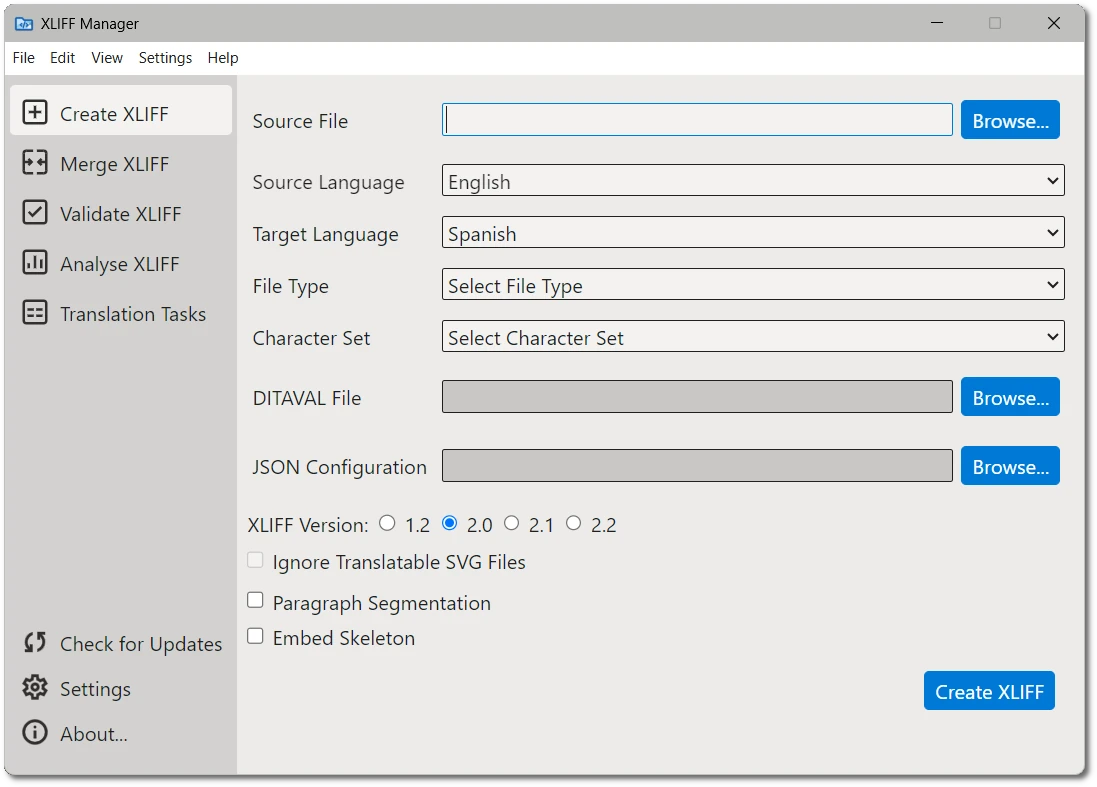
XLIFF Manager running on Windows
Supported File Formats
General Documentation
- Adobe InDesign Interchange (INX)
- Adobe InCopy and InDesign IDML (CS4 and newer)
- HTML
- Markdown (CommonMark, GitHub Flavored Markdown, Pandoc and other dialects)
- Microsoft Office (2007 and newer)
- Microsoft Visio XML Drawings (2007 and newer)
- MIF (Maker Interchange Format)
- OpenOffice, LibreOffice, StarOffice
- Plain Text
- QTI (IMS Question and Test Interoperability)
- QTI Packages
- SDLXLIFF (Trados Studio)
- SRT Subtitles
- Trados Studio Packages
- GlobalLink / WordfastPRO TXML (*.txml)
- GlobalLink / WordfastPRO XLIFF (*.txlf)
- VTT Subtitles (WebVTT)
- WPML XLIFF (WordPress Multilingual Plugin)
- XLIFF from other tools (e.g., memoQ *.mqxliff, generic *.xliff)
XML Formats
- XML (Generic)
- DITA 1.0, 1.1, 1.2 and 1.3
- DocBook 3.x, 4.x and 5.x
- SVG
- Word 2003 ML
- XHTML
Software Development
- JavaScript
- Java Properties
- JSON
- PHP Arrays
- PO (Portable Objects)
- RC (Windows C/C++ Resources)
- ResX (Windows .NET Resources)
- TS (Qt Linguist translation source)
Features
With XLIFF Manager you can:
- Create XLIFF 1.2, 2.0, 2.1 and 2.2 files that can be translated in any modern CAT tool.
- Convert your translated XLIFF files to original format with a couple of clicks.
- Validate XLIFF files generated by any tool. Validation is supported for XLIFF 1.0, 1.1, 1.2, 2.0, 2.1 and 2.2.
- Generate an HTML file with word count and segment status statistics from an XLIFF document.
- Copy source to target for all untranslated segments.
- Pseudo-translate XLIFF files to test conversion/merge processing.
- Remove all targets from an XLIFF file.
- Approve all segments that contain translations.