XSL Transformation
You can transform an XML document to a different format by applying an XSL transformation
Procedure
- Select from the main menu.The XSL Transformation dialog appears:
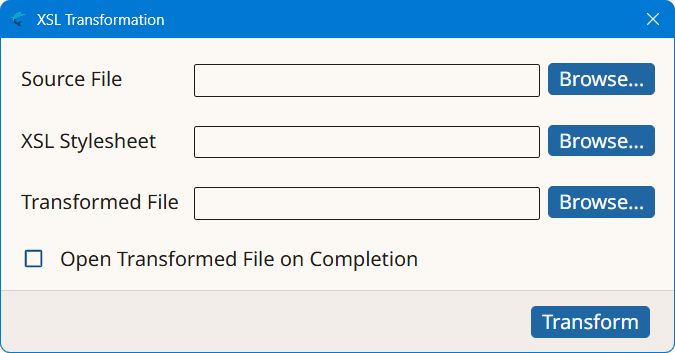
- Type the name of the document to be transformed in the Source File text box or use the Browse... button next to it for selecting an existing document from the file system.
- Type the name of the XSL Stylesheet to apply in the XSL Stylesheet text box or use the Browse... button next to it for selecting the stylesheet from the file system.
- Type the name of the document to generate with the transformation process in the Transformed File text box or use the Browse... button next to it to specify the name and location of the resulting file.
- Select the Open Transformed File on Completion checkbox if you want to open the transformed file in the default viewer after the transformation is finished. Leave this check box empty otherwise.
- Click the Transform button.
Results
The selected XSL stylesheet is applied to the source XML document and the result of
the
transformation is stored in the indicated file. Transformation results are displayed
in the
default viewer configured in the Operating System if the checkbox is selected.