Search on IATE
About this task
Searching terminology on IATE is crucial for translators as it provides access to a
reliable and comprehensive database of multilingual terminology used by European
institutions, ensuring accuracy, consistency, and proper usage of specialized terms.
Procedure
- Select ([Ctrl+Alt+I] on Windows/Linux,
[Cmd+Option+I] on macOS) from the main menu or click the
 button on the translation tab top toolbar.The Search on IATE dialog is displayed: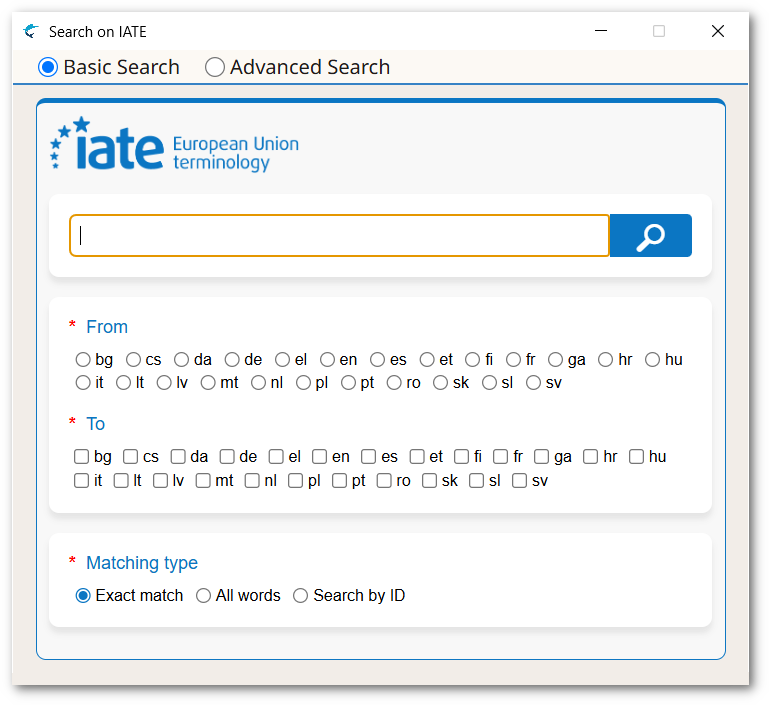
- At the top of the Search on IATE Dialog, select the kind of search you want to perform (Basic Search or Advanced Search). The dialog changes automatically when you switch to advanced mode, displaying more options.
- Type the term to search in the top text box.If you are searching from a translation tab, you can select text from the source or target columns before opening the Search on IATE dialog. The selected text and project languages will then be automatically sent to the dialog.
- Select the appropriate languages on the From and To sections
- Select all additional options that are needed.
- Click the
 button or press Enter.
Results
A search is performed on the IATE database and results are added at the bottom of
the
dialog (you may need to scroll or resize the dialog to see them).